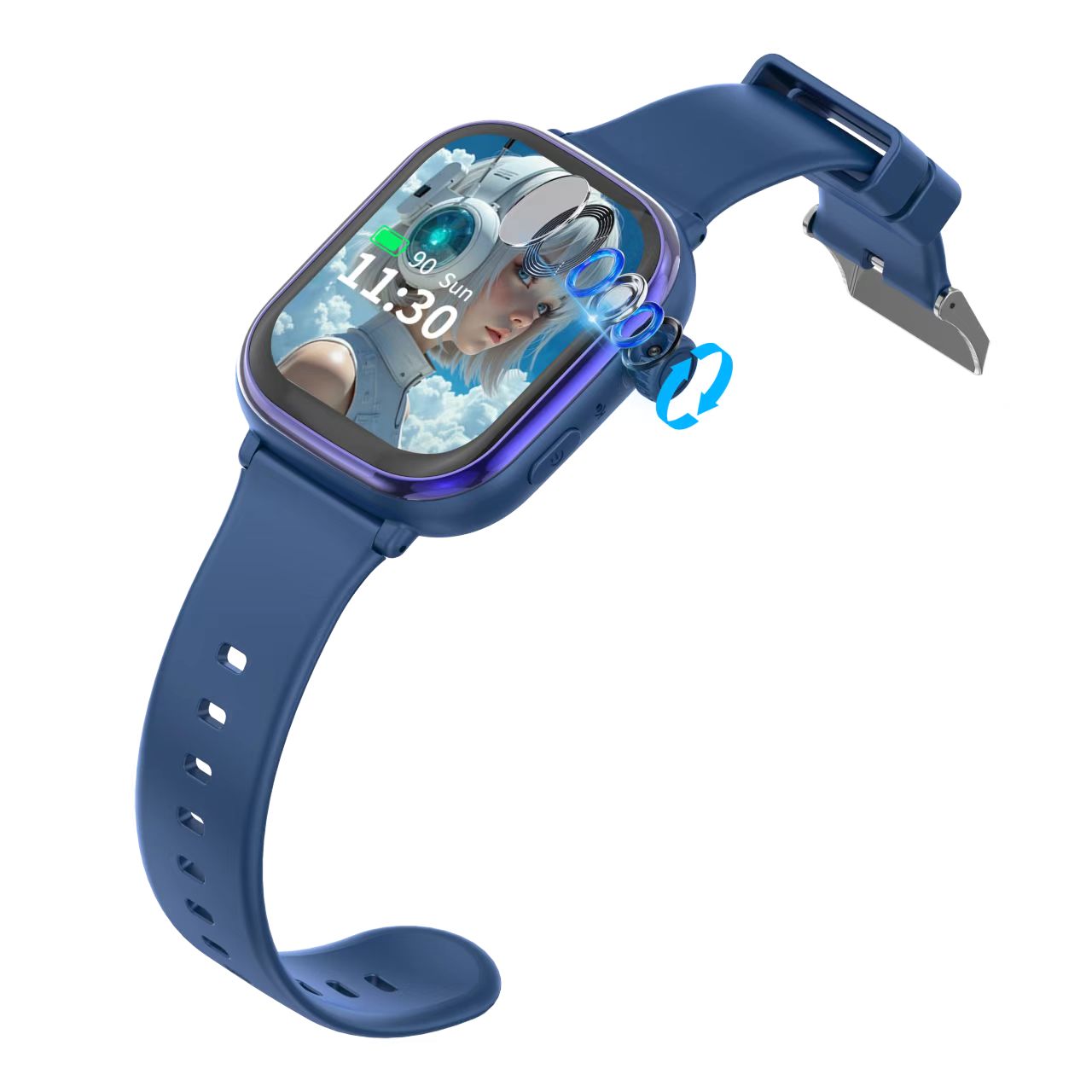
Usage
Children's watch connected to mobile phone
1:After inserting the SIM card into the watch,open it: Device information Registration code
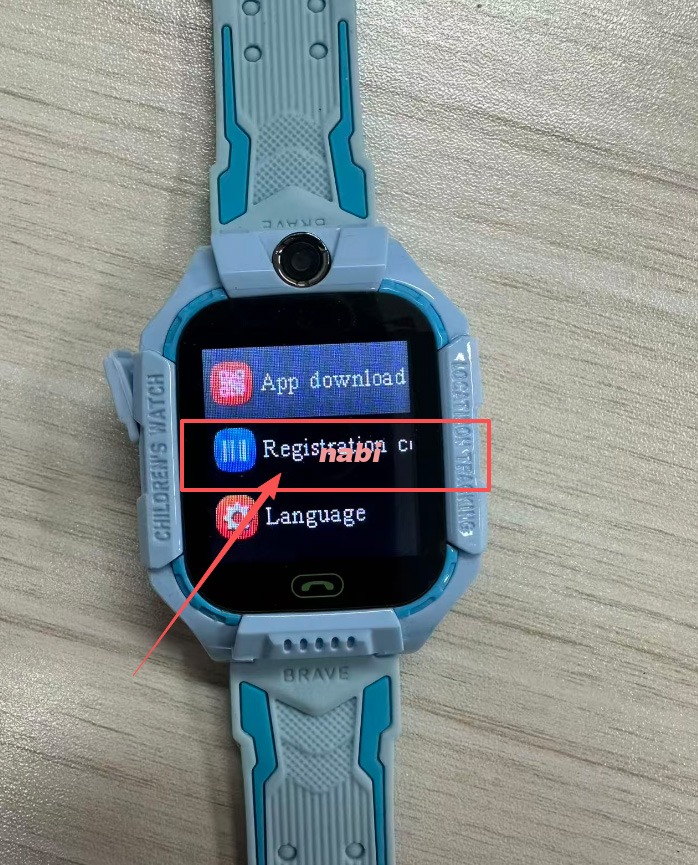
(As shown in the figure)
2:Download the software as shown in the picture
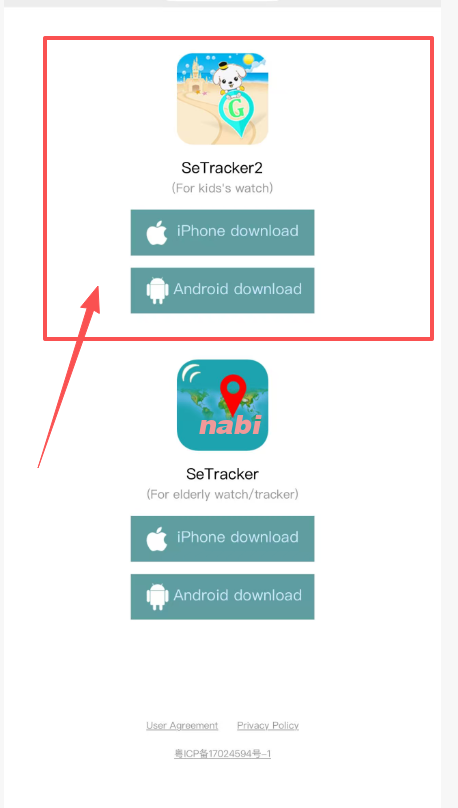
(As shown in the figure)
3:Register an account and select a language
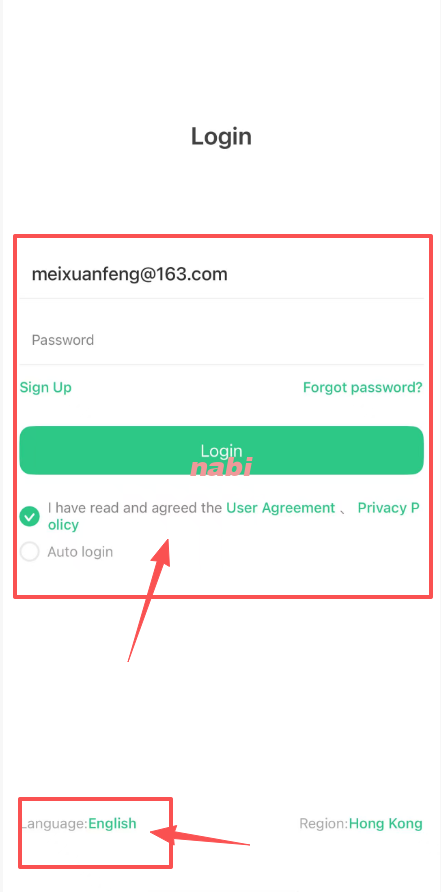
(As shown in the figure)
4:Scan the QR code of the first step according to the icon operation
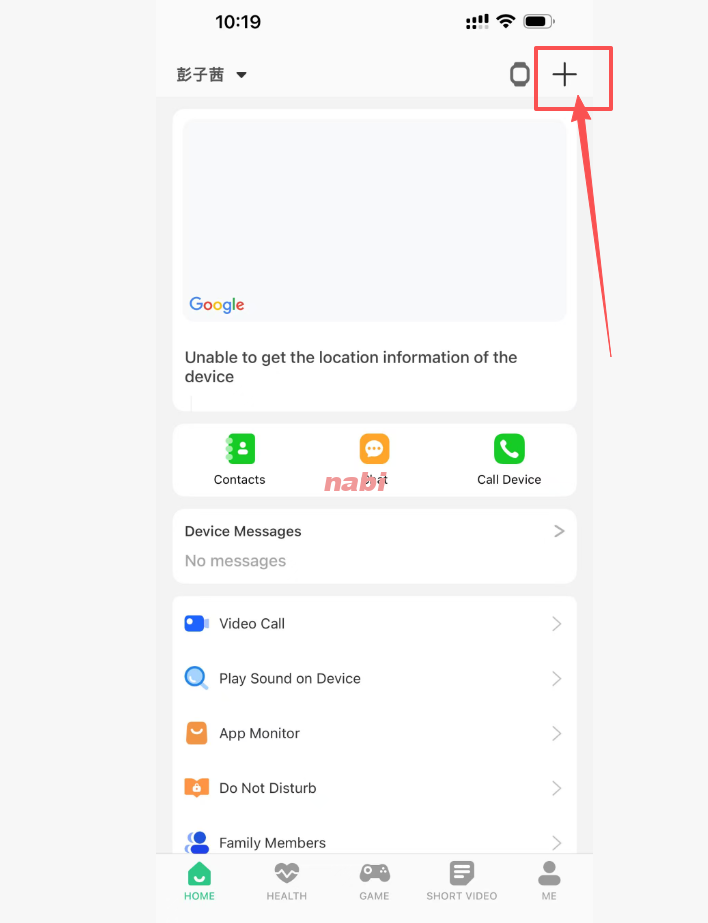
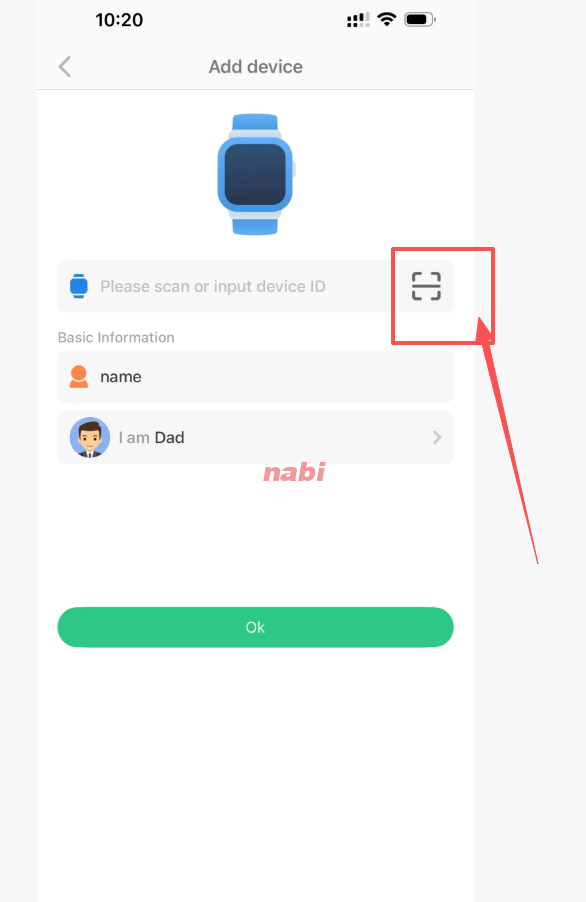
1:The watch must be plugged into a SIM card to display the registration code, and then follow the steps in the attachment to connect to the phone
2:If the above cannot solve your problem, please send me a screenshot or video of the problem you encountered for me to see